<10min read
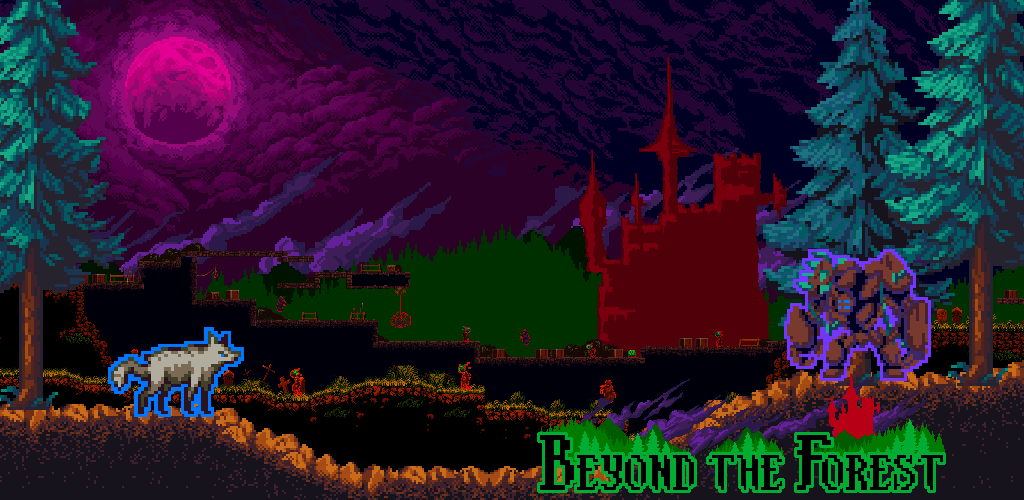
Although early platformers like Canabalt and Temple Run found success on mobile, the genre was quickly overtaken by casual, lifestyle and puzzle games.
Outside of monitisation, the sentiment is that the genre is a poor fit for mobile. When I designed Beyond the Forest (Android / iOS) I wanted to figure out if this was genuinely the case or not.
Defining the Challenge
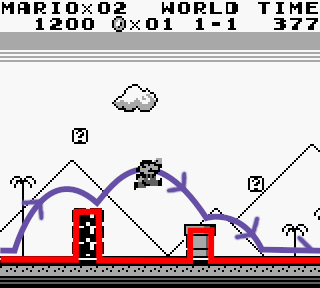
At their core, platformers are real-time spatial traversal problems. Player movement is the navigational solution to the designers’ geometric challenge.
Level geometries create static traversal challenges whilst moving platforms/enemies/enemy attacks create dynamic ones.
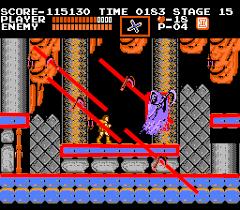
Although most levels may only require players to reach the end, often good designs facilitate fluid and continuous movement.
Whilst the best designs encourage execution mastery and even self-imposed metagames like speed running.
Now we have some basics, let’s try to define the main challenges for achieving fluid execution on mobile:
- Precise and predictable controls
- The player shouldn’t feel a dissonance between their inputs and their characters’ actions.
- Input consistency – The same input from the same state should have the same result, e.g. jumping from a neutral-grounded should always jump.
- Character actions – The same action from the same states should produce the same result, e.g. jumping whilst at top speed covers the same distance every time.
- Game information is easily interpreted
- Information requires minimal/no analysis to understand. The player isn’t spending time deciphering the game to decide what to do.
- Unlike imperfect information games (e.g. an RTS), the problem (traversal challenge) should be presented clearly and unobstructed.
Precision and Predictability
Where’s my Feedback?
Let’s address the big challenge, the interface. Compared to controllers, there’s limited tactile feedback on mobile. Normally when pressing physical buttons on a controller, in an instant, we’re figuring out if:
- Our finger is on the button
- We’ve actually pressed the button
For on-screen and gyro options, figuring these out becomes a test of the players’ proprioception. Even slight ambiguity of where exactly the button is means this is no longer the near binary operation it is on traditional controllers.
| Button | Input Type | Finger/Thumb on Input | Input Triggered | How much is it Triggered (Analogue only) |
|---|---|---|---|---|
| Physical Button (e.g. direction ona dpad or an A, B, X, Y button) | Binary | Full direct tactile information in each spatial axis. | Certainty. The button if fully down or not. | – |
| Physical Analogue Stick | Contineous | Full direct tactile information in each spatial axis. | Low Ambiguity. Muscle contraction required to push/pull stick away from its neutral position. | Medium Ambiguity. Either it is in its neutral position, its maximally extended or some ambiguous extent between. |
| On-Screen Buttons | Binary | Partial tactile information. In spatial axis perpendicular to the screen (touching or not) but not the others. | None. We know we’re touching the screen but not the button itself. | – |
| On-Screen Analogue Stick | Contineous | Partial tactile information. In spatial axis perpendicular to the screen (touching or not) but not the others. | None. We know we’re touching the screen but not the button itself. | None. |
| Gyro (replacing movement keys) | Contineous | Partial analogue rotation information. No certainty to the extent. | High Ambiguity. We might know we’re tilting the device but uncertain to its extent. | High Ambiguity. Uncertain to the extent of tilt. |
Feedback Compensation
Short of connecting a controller, we can’t solve the lack of tactile feedback, however, we can alleviate it.
Triggering the Input – Button press errors are the result of misalignment between the finger and button. We can address this simply by lossening the tolerance required for the input.
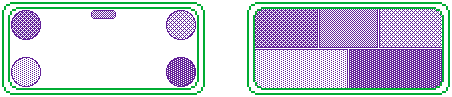
This way we’re reducing the proprioception challenge of figuring out if the finger/thumb is above the relatively small input area (left) to is the finger halway up/along the screen or near the middle top (right).
The extend to which its Triggered – On-screen analogue sticks provide no tactile feedback to degree to which they are being triggered. Some solutions like relative on-screen sticks try to fix this by
- Snapping the center of the dpad to the initial touch position
- Using the difference between the initial touch location and current postion as the input
Although better, after the initial touch there is no certainty to the extent our input is being triggered (note: we can augment our inputs by incorporating additional rumble feedback, however this itself is ambiguous so cannot be relied upon).
In Beyond the Forest, I opted to avoid a relative on-screen analogue sticks as I felt they couldn’t facilitate percise controls and so designed gameplay from the bottom up around binary inputs.
Gameplay Consistency
Through play testing and the feedback analysis it become clear that precious continuous controls weren’t realistic on mobile and ultimately this made movement less predictable.
To achieve predictable movement, gameplay design lent into the discrete nature of binary on-screen buttons and eventually lead me to an autorunner with constant running speeds/accelerations, autorunning and fixed jump/attack arcs.
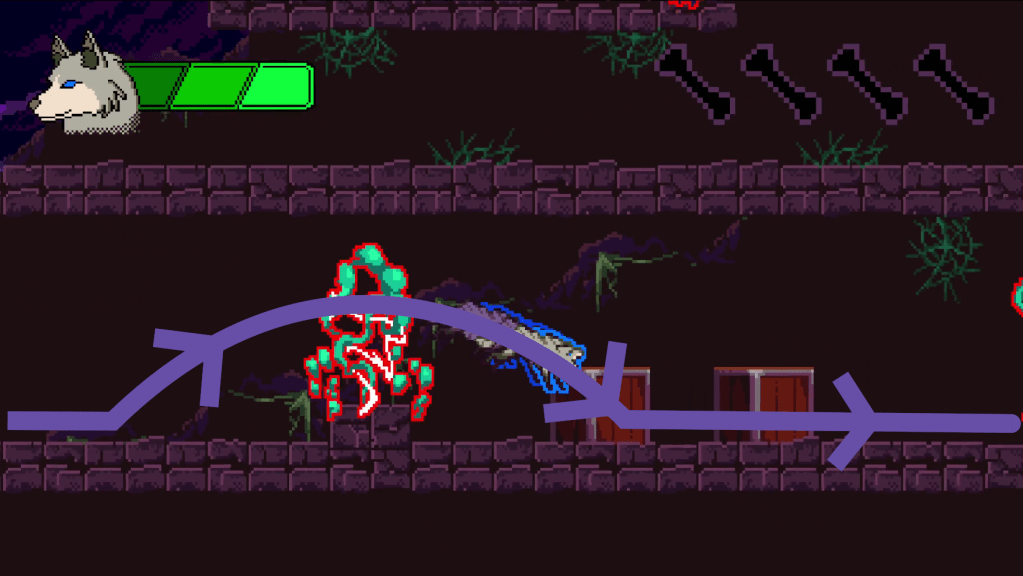
This ultimately refocused gameplay around using the right movement or actions to solving the levels challenges and enabled tighter and more fluid traversal by higher skilled players.
Communicating Information
Information Obfuscation
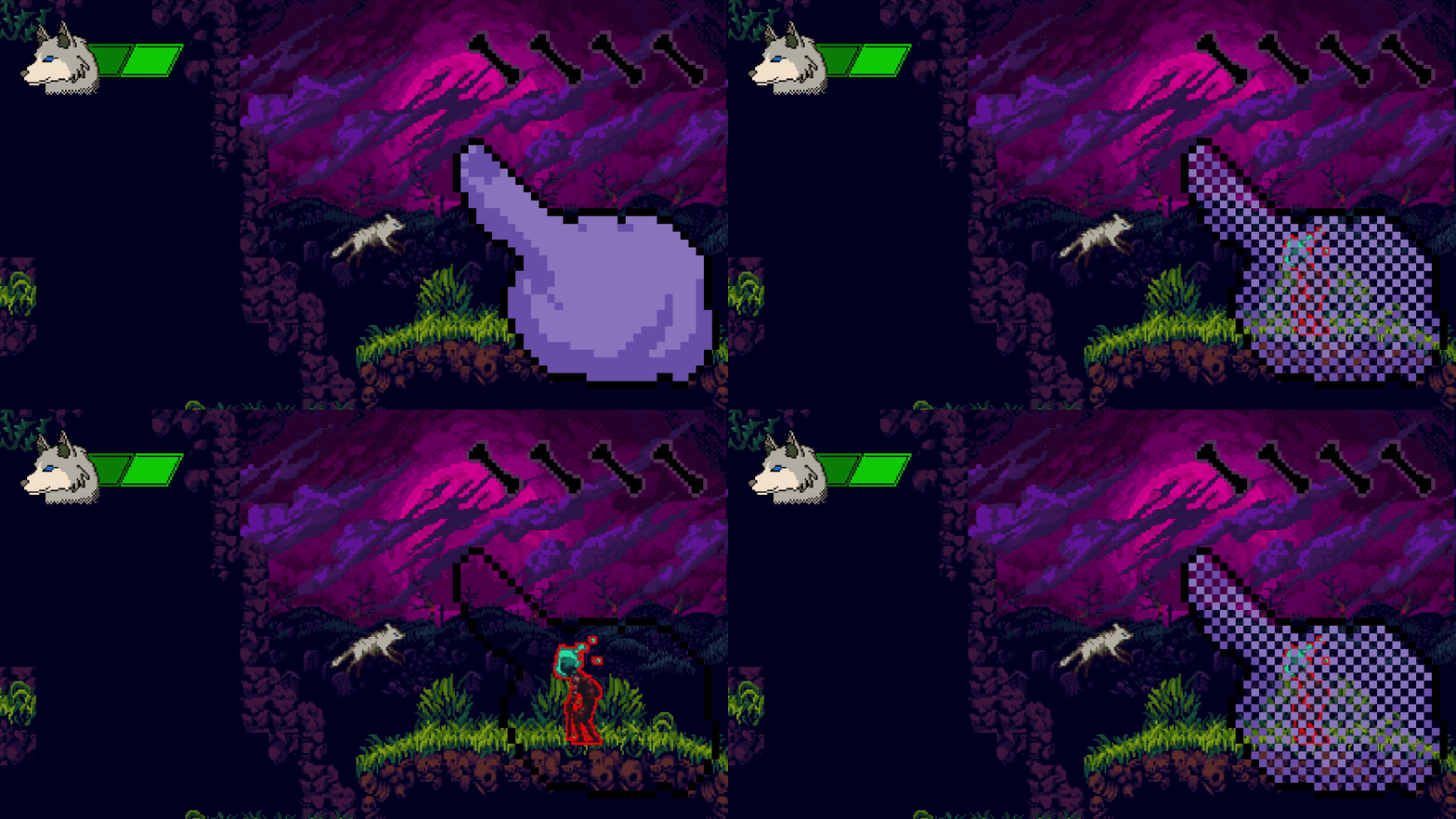
Unlike traditional gaming platforms, on mobile, the screen acts simultaneously as the display and input device. The act of interaction obfuscates game information, whilst the limited available screen space further hindering the issue.
In a genre where reacting to the environment with timed inputs determines success, hiding game information is problematic and can leave the player feeling a sense of unfair play.
Mirrored Controls
The default controls use a change direction button (right) as opposed to separate left and right directional buttons (left). This came about when observing play testers zig-zag back and forth when encountering new enemies so they could spend more time watching the enemies’ movement patterns.
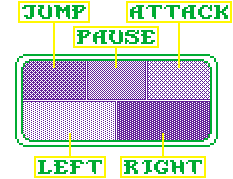
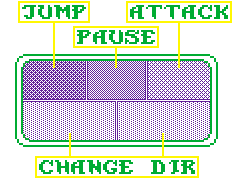
To alleviate obfuscation, this change direction button was mapped to both sides of the screen so that it could be pressed by the opposite thumb to the players’ movement direction. When moving left the right finger could press it and when moving right the left finger could press it. In this way, the space directly in front of the player could be kept visible.
Camera Compensation
To further aid in communicating game information, the camera centre is offset from the player characters’ position. This offset is based on the character’s movement direction and speed, snapping to a virtual point just ahead of the player to increase screen real estate dedicated to upcoming platformer challenges and enemies.
This is the same approach games like Super Mario World implemented to direct the player’s attention and dedicate the majority of the screen to upcoming areas.
Visual Language
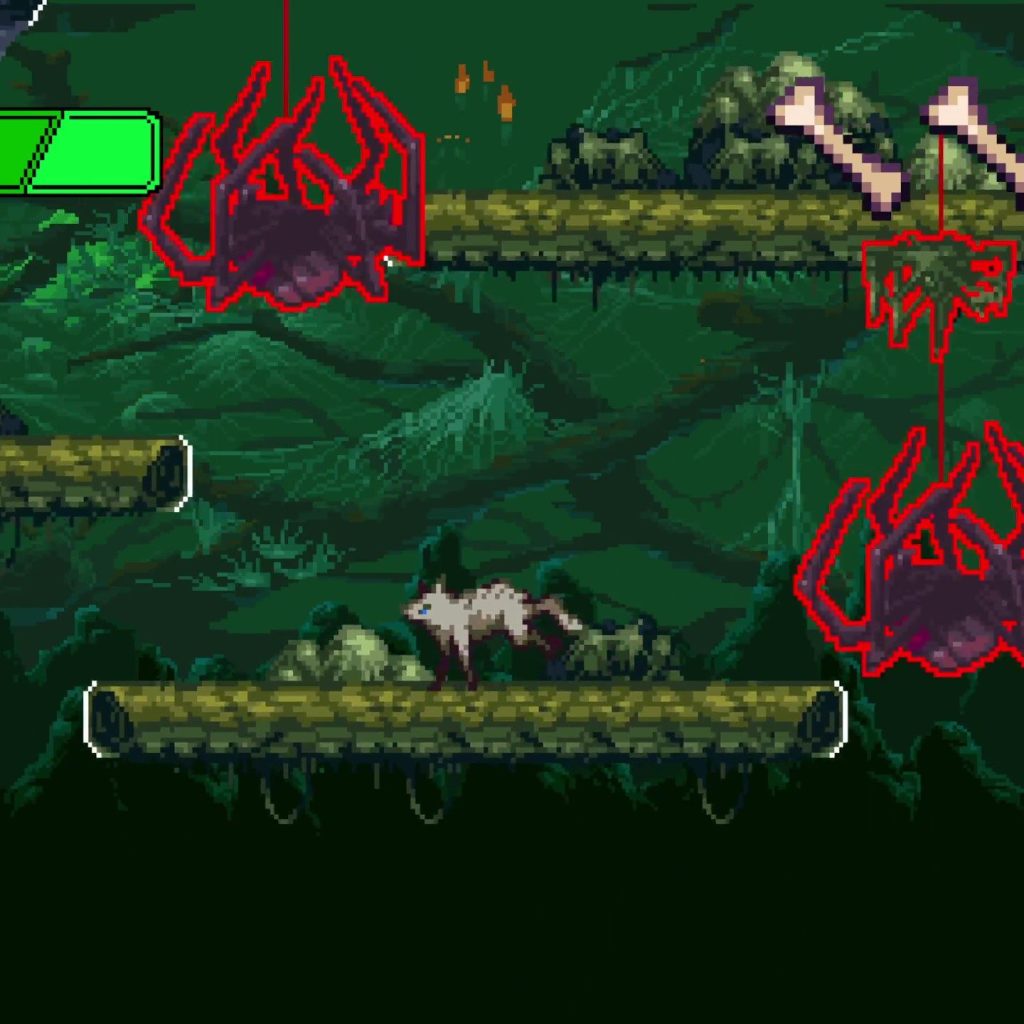
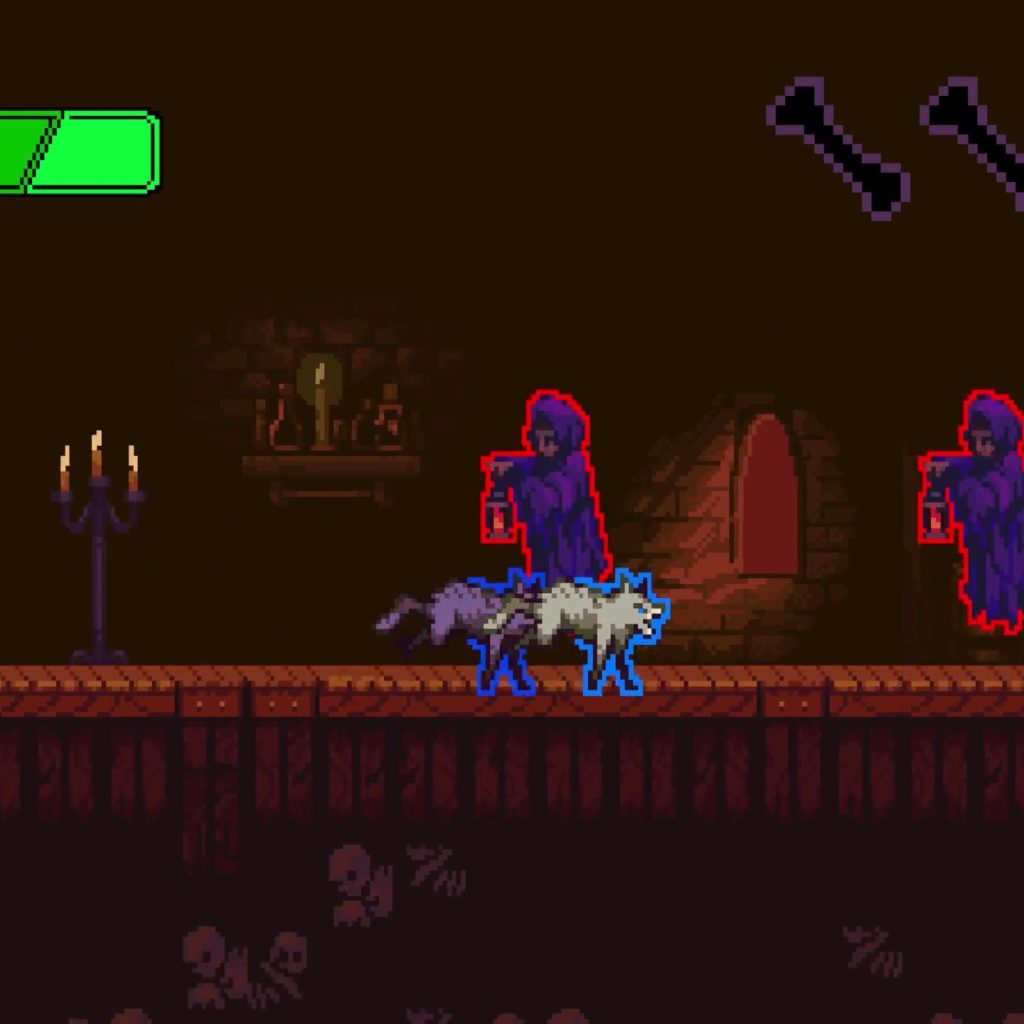
Lastly, with limited screen space and resolutions it made sense to implement a consistent visual design to help the player understands the meaning of different game objects
- White edges to indicate platform edges and gaps
- Red character outlines to indicate enemies
- Blue outline to indicate the player is in an attack animation and where its hitbox location
Wrapping Up
Beyond the Forest, was my first attempt at creating and releasing a game larger than a couple of levels. Becoming proficient at the core gameplay loop of development was satisfying, although the 90% after the first 90% really kicked my arse.
I feel I accomplished much of the original design vision, however there was a lot of polish was left on the table.
Future Considerations
Design exploration focused primarily on how addressing how the device interface affected game feel. Future explorations could look
- Additional audio/visual and tactile feedback
- SFX and rumble
- Idempotent Physics
- I used Box2D for physics which is deterministic, however kinaesthetics it doesn’t feel like that. I would be interesting to implement physics that feels more stringently deterministic.
- Additional gamefeel elements
- Coyote time
- Buffered input optimisations
- Accessibility on mobile platforms
The last level was styled as a metrovania level, exploring this genre on mobile may also be interesting.
 Idlemouse